A reception screen
at your entrance, 24/7.
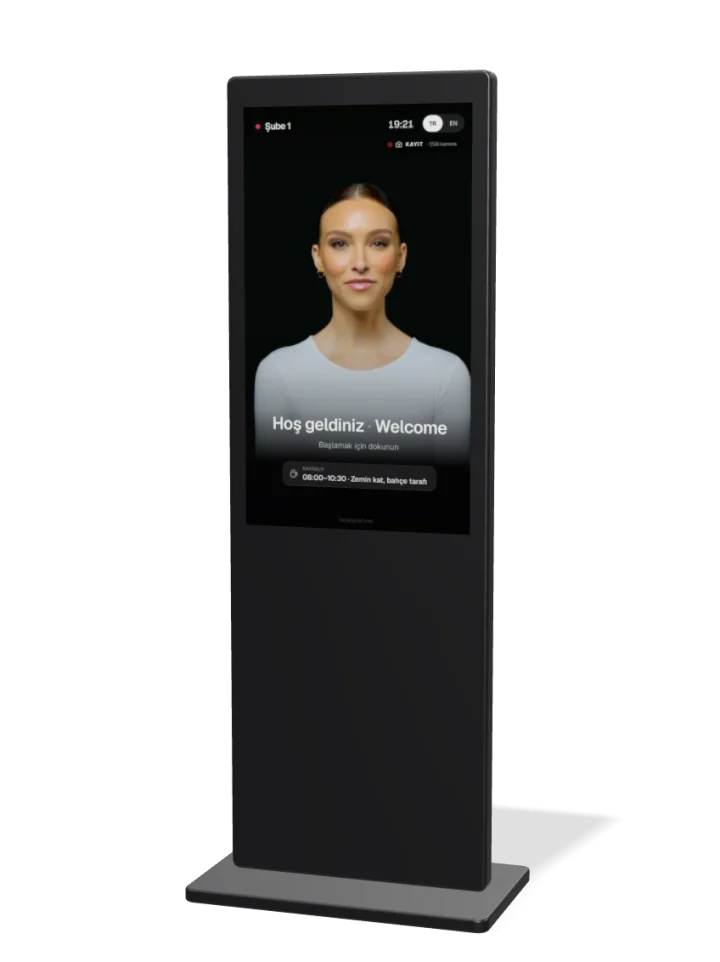
A vertical screen at the entrance. Annie, the on-screen receptionist, welcomes guests, finds their reservation, sells available rooms and answers questions.
Annie speaks through pre-produced, lip-synced clips. Every sentence also appears on screen as a subtitle.
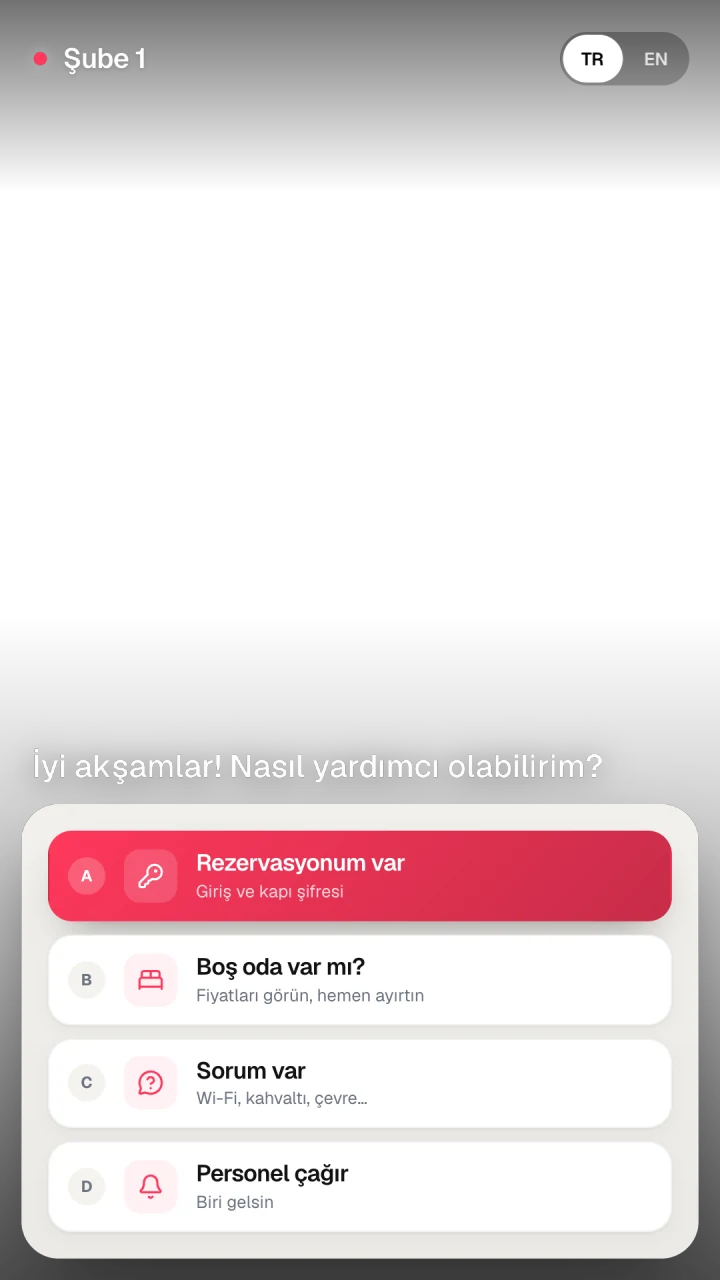
A path for every guest who walks in.
The screen first asks what the guest needs. At any point the guest can call staff.
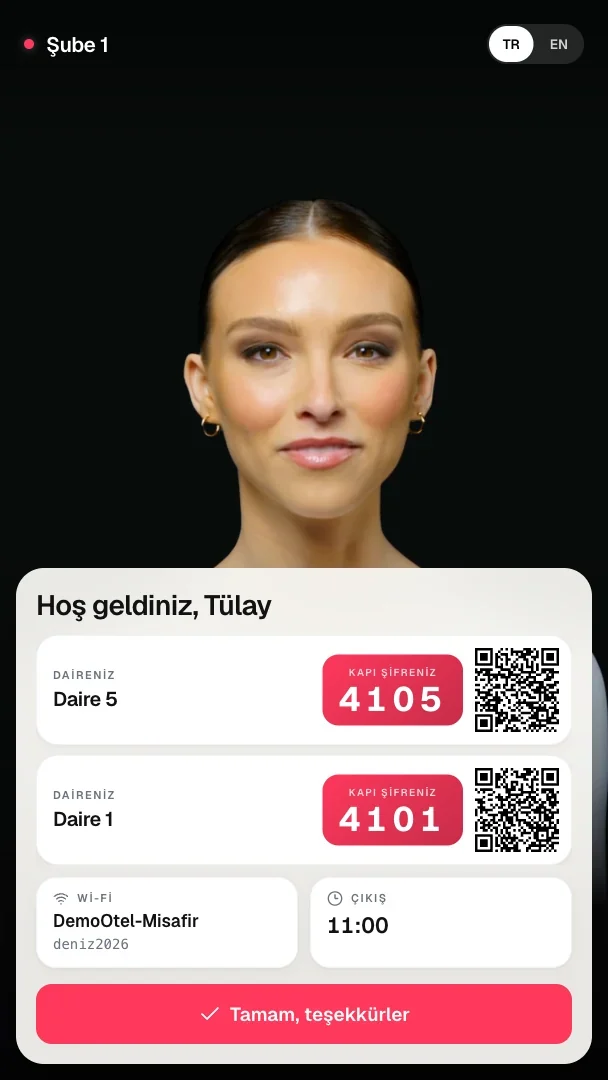
Finds the reservation, shows the room and door code.
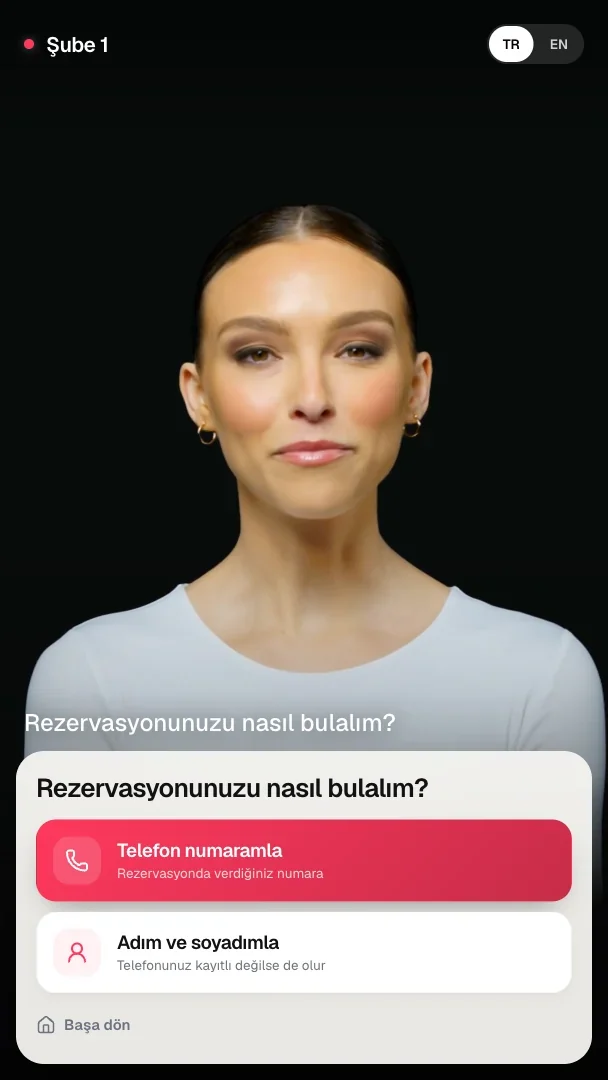
Guests find themselves by phone number or by name. The door code appears only when the hotel's condition is met.
- 1Search by full phone number or by name. Foreign numbers work too.
- 2If two records match, the screen asks one more question.
- 3The guest accepts the house rules and confirms the number of guests.
- 4If payment is complete or staff have approved, the room and door code appear. Otherwise staff are called.
Sells available rooms on the screen.
The guest picks dates and the number of guests, then sees available room types with the total price. The chosen room is held for them.
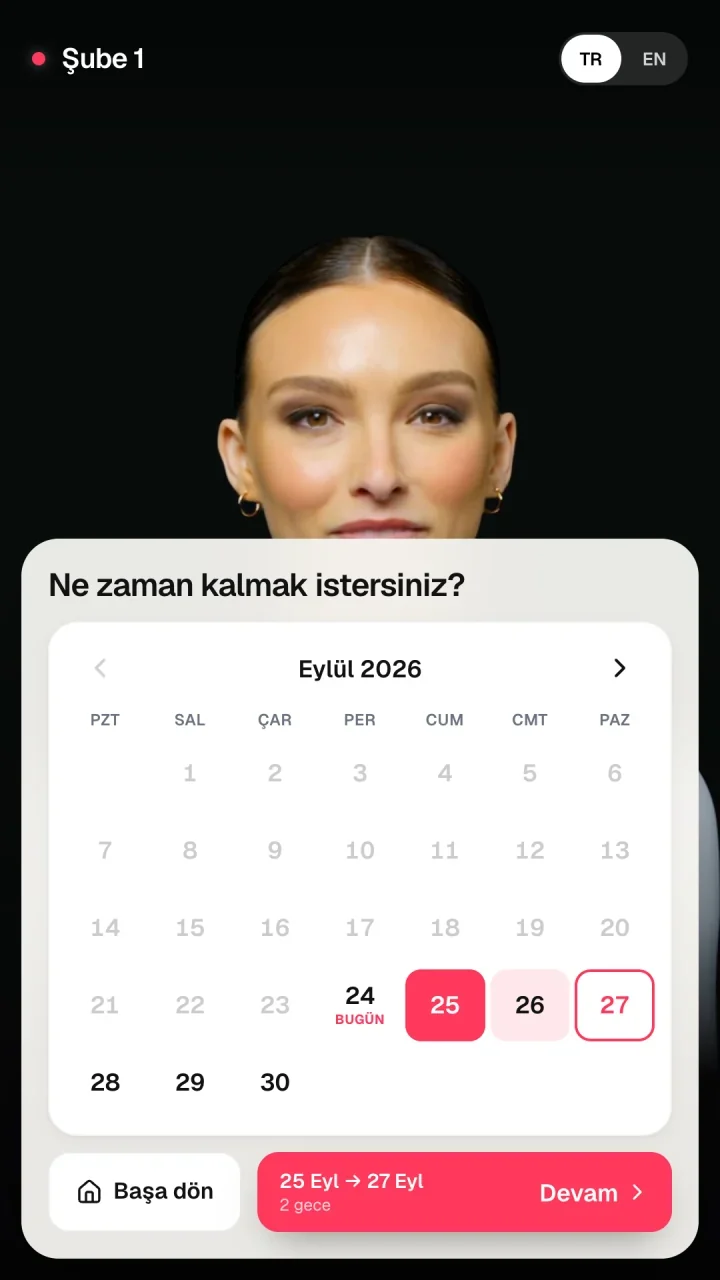
Picked on a calendar. Guest count is capped by capacity.
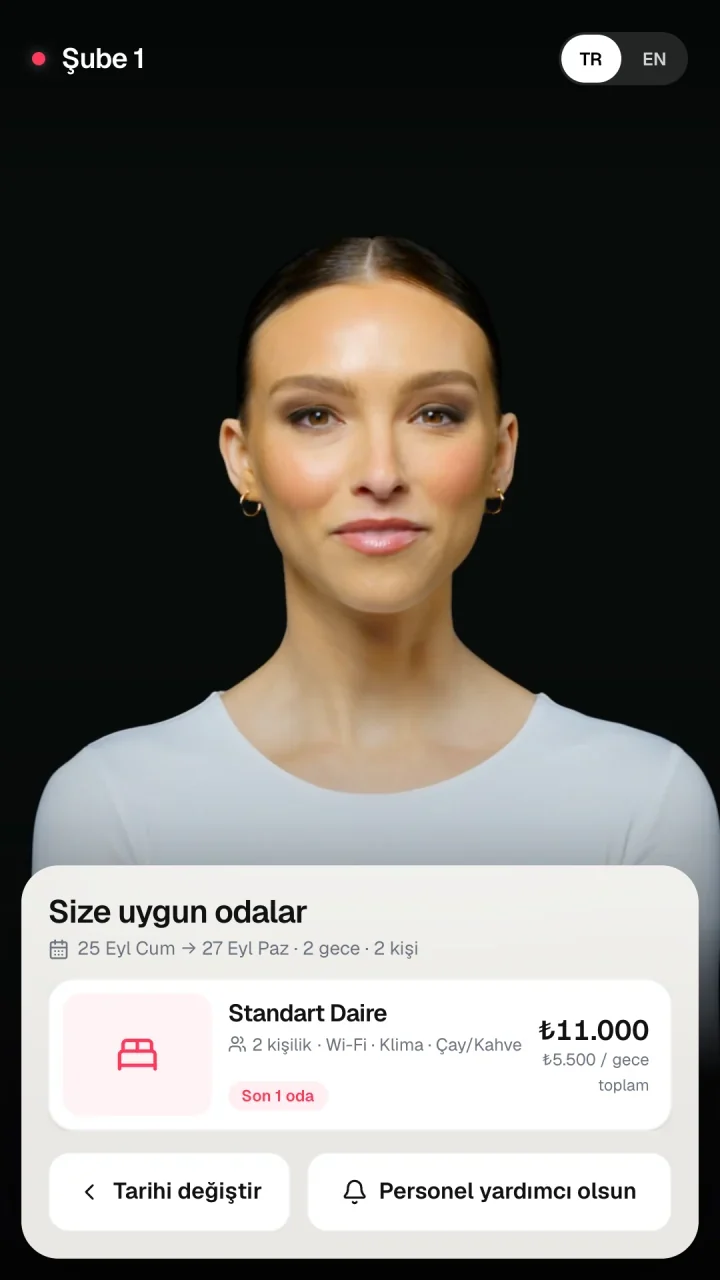
Photo, short description and total price. If a group doesn't fit one room, a room combination is offered.
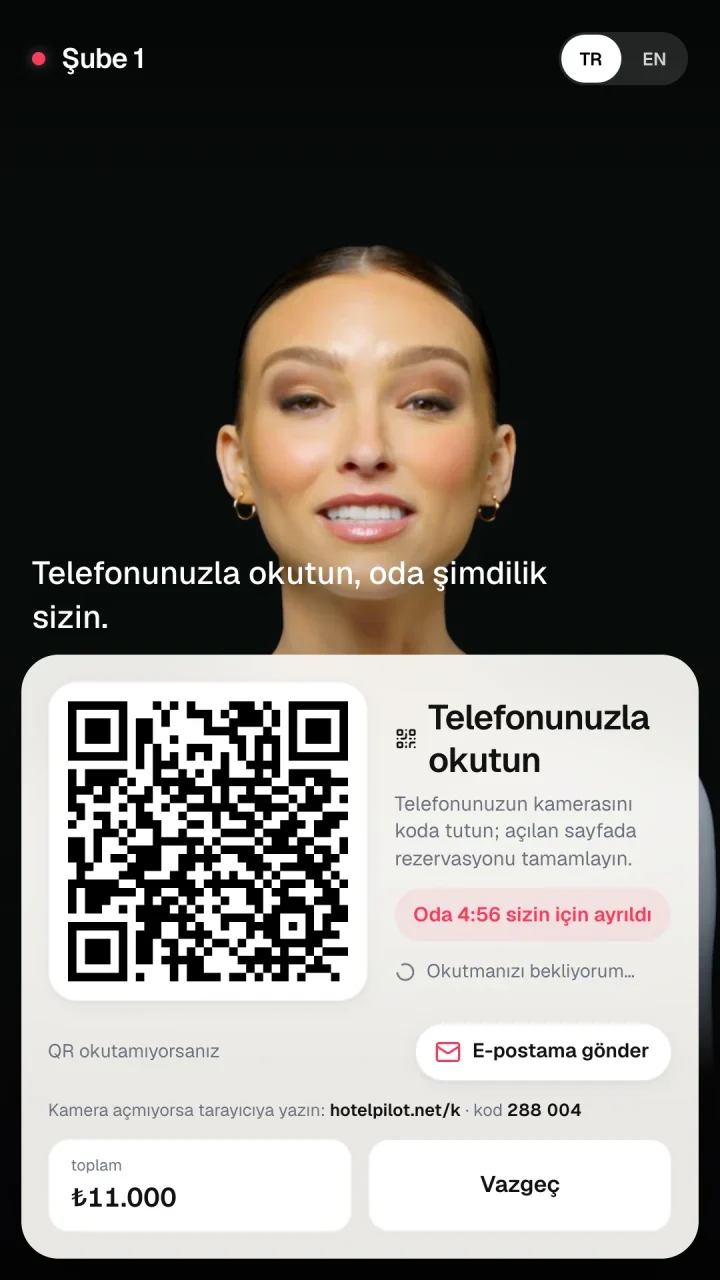
The guest scans a QR code or receives the link by email.
Details, contract and payment choice on the guest's own phone.
No forms at the screen. The guest completes the steps on the page opened by the QR code.
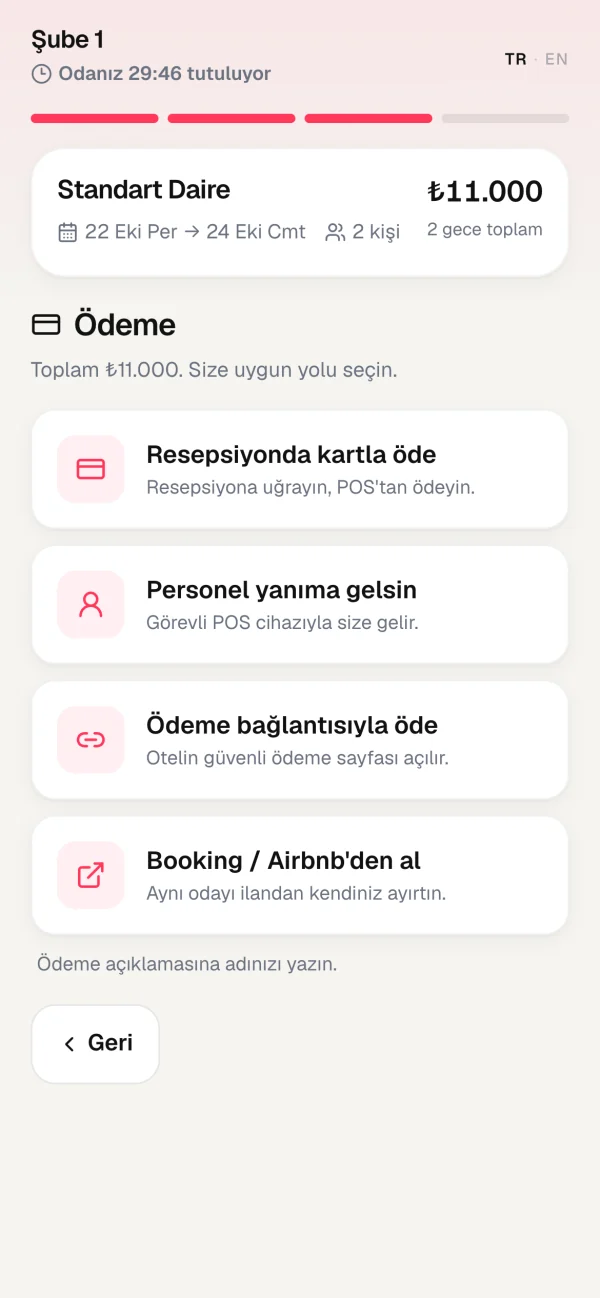
Chosen from the options the hotel enabled.
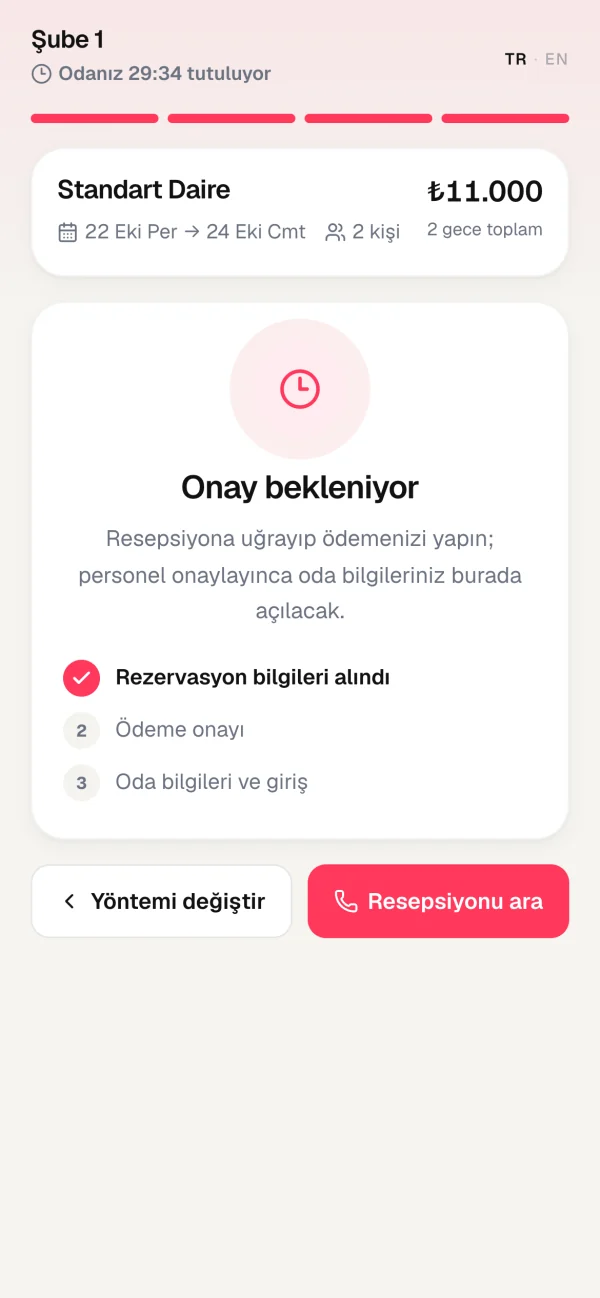
The guest waits for approval on their phone.
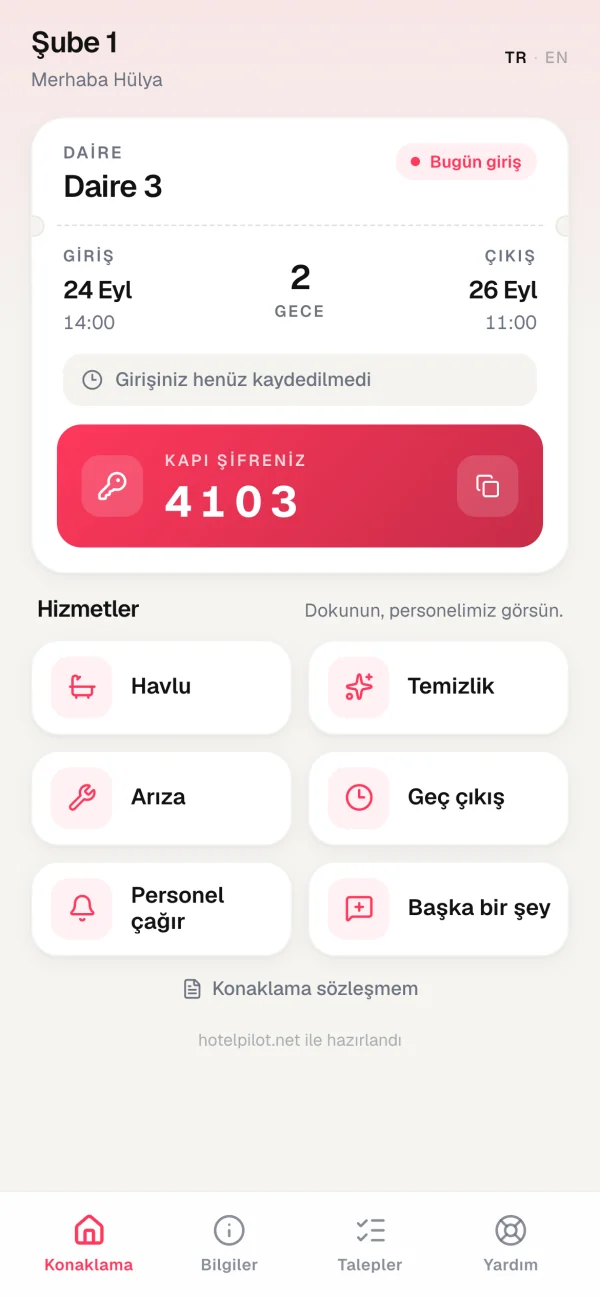
After approval, the room and door code appear on the guest's page.
The hotel decides the payment options
Pay at the desk by POS, a staff member comes to the guest, the hotel's own payment link, or the hotel's Booking/Airbnb listing. The screen itself does not take card payments.
Answers questions from the hotel's information.
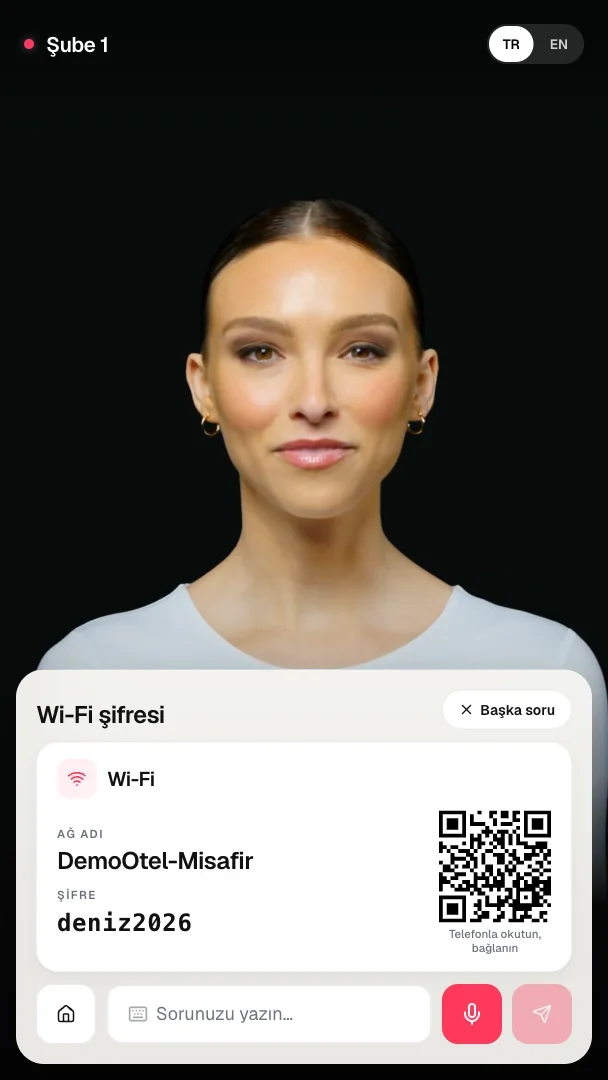
Wi-Fi, breakfast, check-in and check-out times, parking, rules, nearby places: ready answers appear instantly.
- Ready answers are shown instantly
- Other questions are answered by a protected AI, only within the hotel's information
- Staff are called when the guest asks
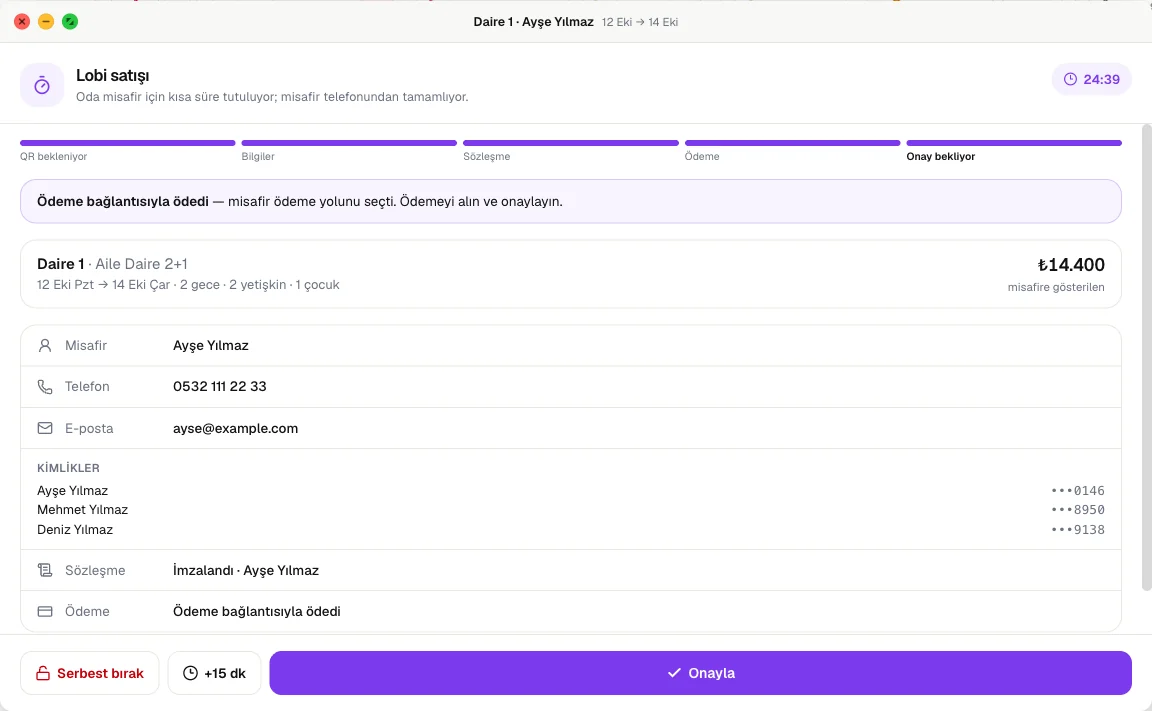
Lobby sales are approved with one tap.
The held room shows on the web calendar as a violet bar with a countdown. Staff get a notification.
- Approve: confirms the sale with one tap
- +15 min: gives the guest more time
- Release: frees the room immediately
- When time runs out, the room is freed automatically
Staff get notifications; the mobile app goes with them
Set up in the dashboard, configured per property.
Guest Experience screen
Rules, ready answers, payment options and screen settings in one place in your HotelPilot dashboard.
Branding per property
For hotels with several properties, each one appears on screen with its own name and logo.
Its own idle screen
Each property's idle screen text and cards are edited separately.
Its own guest information
Wi-Fi and other information are kept separately for each property.
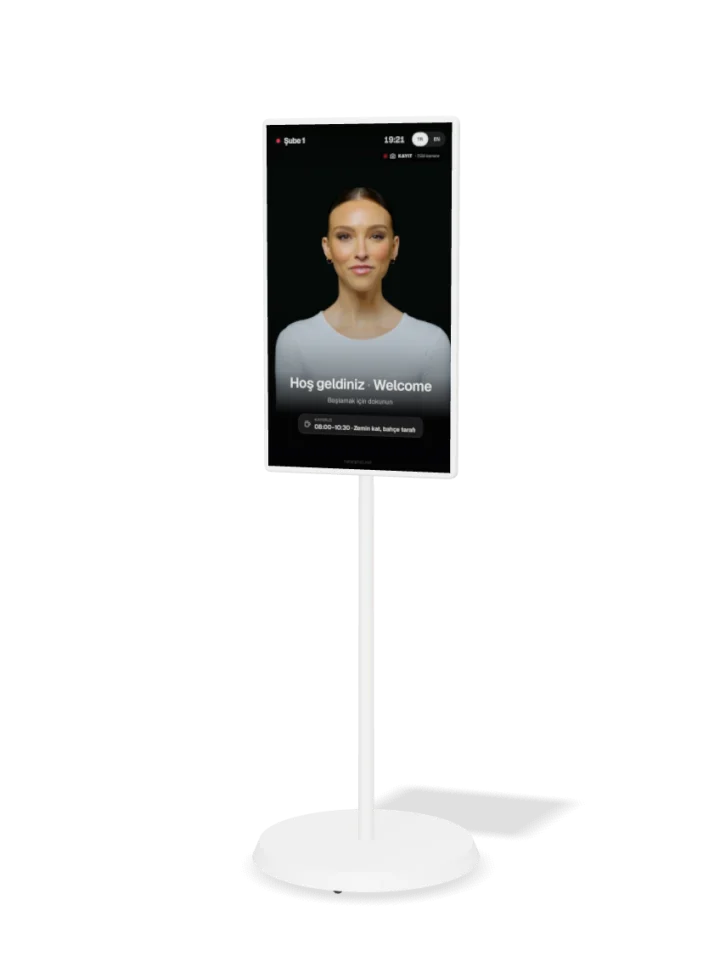
We bring the screen.
Arrives set up and locked down; maintenance and replacement by us. Minimum 12-month rental.
Added from your dashboard. The screen is optional, on rental.
AI Reception
Software for the screen at the entrance. Guest Portal included.
- Reservation check-in, walk-in sales, questions
- Guest Portal included
- Name, logo and settings per property
Lobby screen rental
Optional. Arrives set up and locked down; maintenance and replacement by us.
- 32" rotating screen on a stand (white)
- 43" floor totem (black)
- Minimum 12-month rental
- If you have your own screen, you can use it.
Frequently asked questions
No. Payment happens through one of the options the hotel enabled: POS at the desk, a staff member comes to the guest, the hotel's payment link, or the hotel's Booking/Airbnb listing. The door code appears only when payment is complete or staff have approved.
Annie speaks through pre-produced, lip-synced clips. Every sentence appears on screen as a subtitle. Guests move forward by tapping the screen and can type their question.
No. Ready answers come first. The AI answers only within the information the hotel has entered. If there is no answer, the guest can call staff.
30 minutes after the guest opens the link on their phone. When time runs out, the room is freed automatically. Staff can extend by 15 minutes or release the room right away.
A vertical touch tablet or screen at the entrance. If you have your own, you can use it. Or we bring the screen: a 32" screen on a stand or a 43" totem, rented monthly for at least 12 months; maintenance and replacement by us.
Yes. Each property can have its own name, logo, idle screen and guest information on the screen.
Welcome guests even when the front desk is empty.
Sign up for HotelPilot for free and add AI Reception from the dashboard. We help with setup.